


On this Mac
Seven AI tools, and the entire editor.
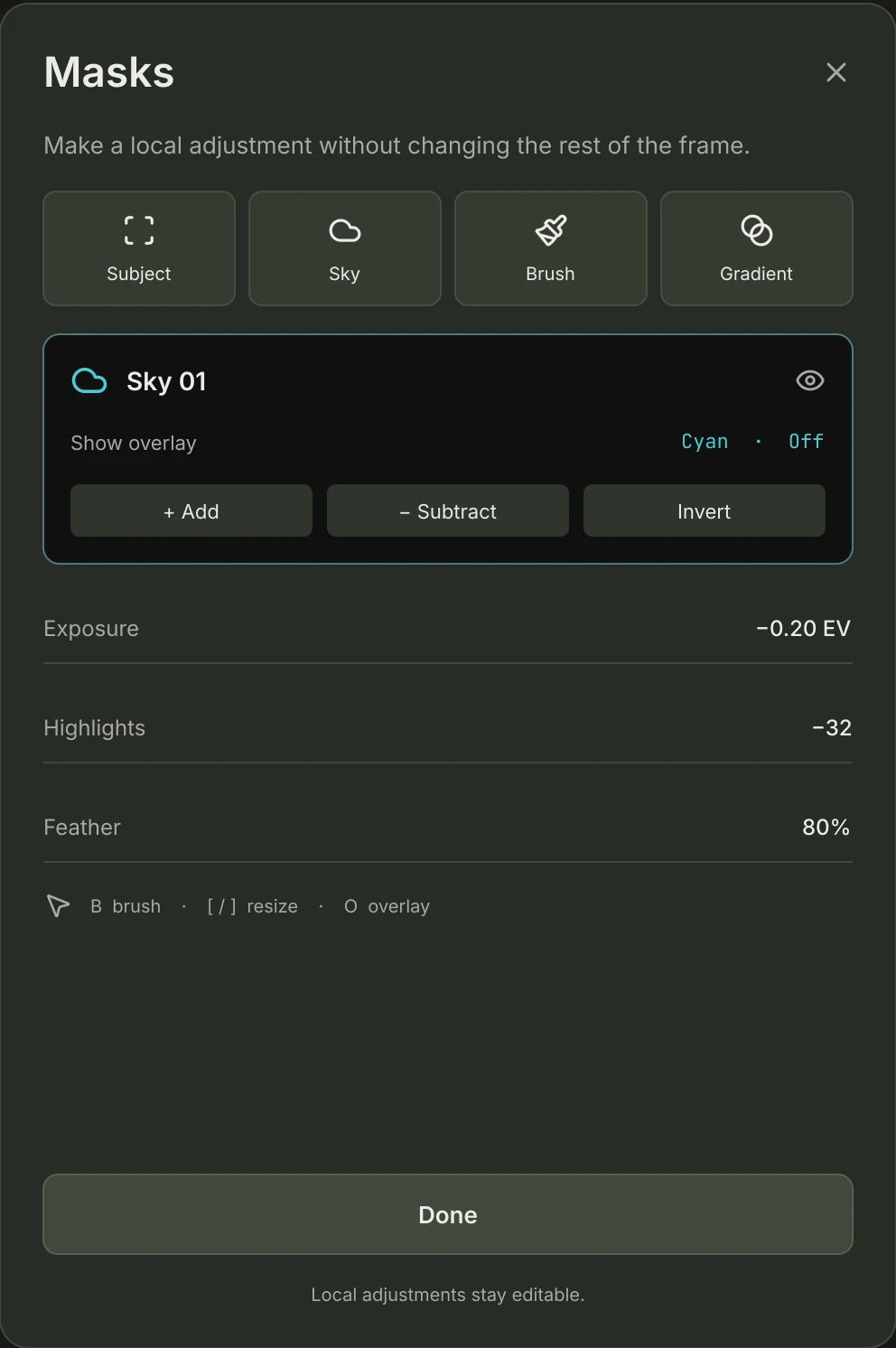
RAW development, manual adjustments, masks and portrait analysis all run locally. No upload, no credits, no connection needed.
- Enhance
- AI Focus
- AI Studio
- Light Depth
- Sky
- Skin Enhance
- Body Transform
A complete RAW darkroom for Mac. Relight, refocus and recover with 13 AI tools — and keep every result editable.
Free to try. Pro Lifetime for US$79.99. Optional cloud credit packs.
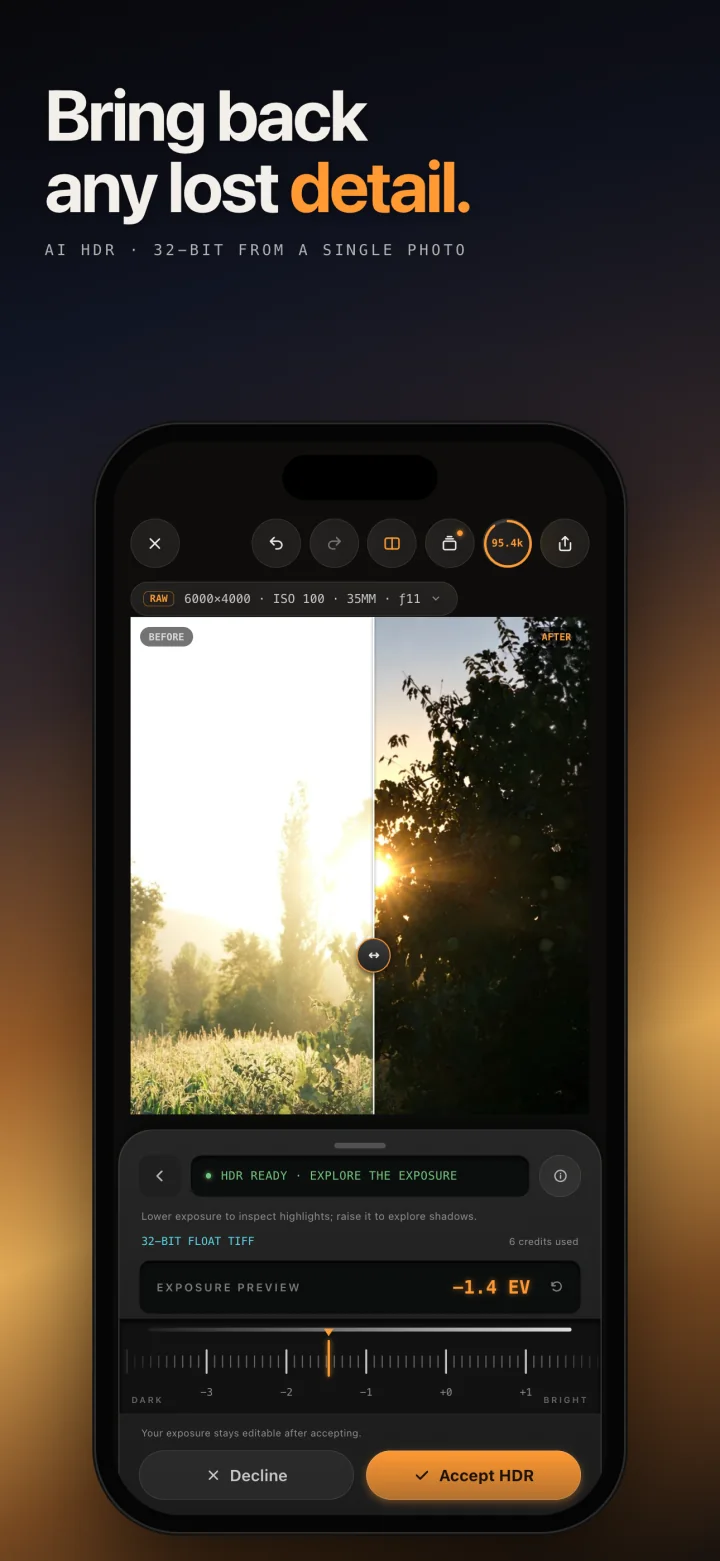
AI HDRRebuilds blown highlights and deep shadows from a single exposure, as an editable HDR result.
01The AI tools
Each tool proposes and you decide. Review the result against your original, dial it back, or discard it. Pick any tool to see it in the app.
And eight more
Every tool lives in the same sidebar, one click from Develop.
02Results
Three real edits made in Eightstop, laid out on the app’s own compare table. Drag the divider, switch the view, or hold Show Before.


←→ move divider · B hold for original
03Develop
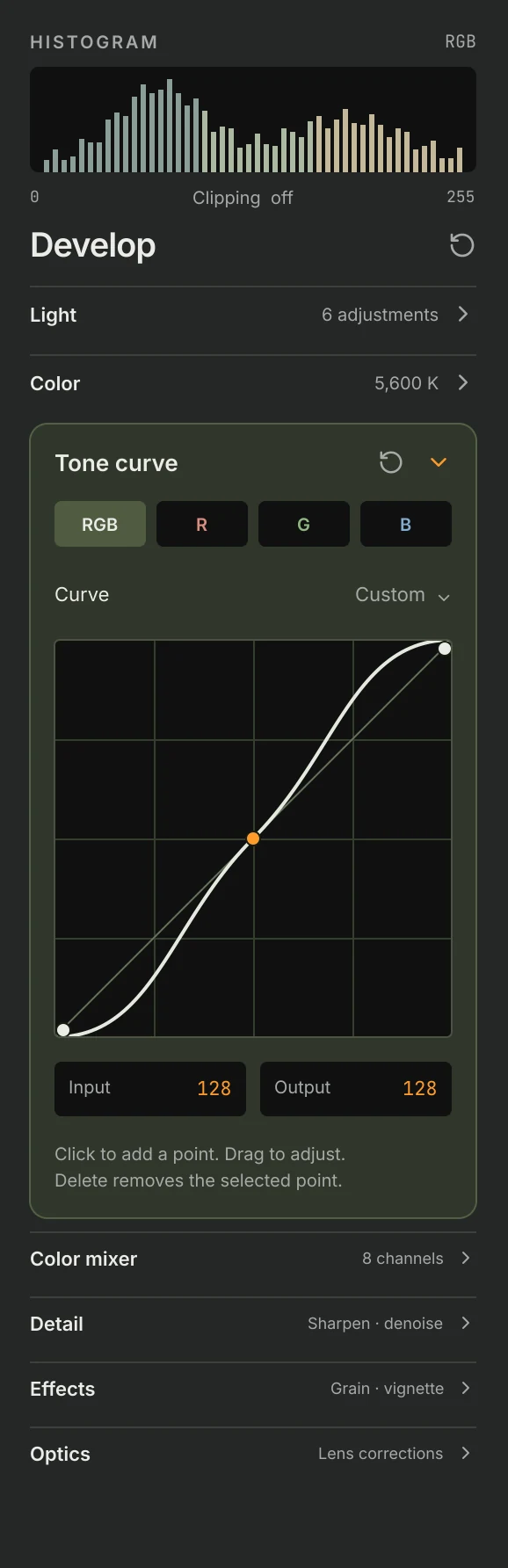
AI is the shortcut, not the editor. Everything it touches lands in the same precise controls you would reach for by hand.
04Where the work happens
Every tool is labelled, so you always know where a photograph is being processed before you press the button.
On this Mac
RAW development, manual adjustments, masks and portrait analysis all run locally. No upload, no credits, no connection needed.
In the cloud
Cloud tools receive a processed image with its metadata removed — never the original RAW. You see the credit cost and confirm it before anything is generated.
AI-generated detail may differ from the original scene. Every generated result can be compared and discarded before it is kept.
05Pricing
Start editing for free. Unlock Pro for life with 100 cloud credits to get you started. Add more credits only when you need the cloud tools.
Get to know the darkroom.
US$0
Make the darkroom yours.
US$79.99one-time purchaseNo subscription required
Optional packs for AI HDR, Relight, Erase, Expand, Upscale and Denoise. Credits are spent as you use these tools, and you see the cost before each generation.
Your local tools and exports keep working when your balance reaches zero.
Buy packs in Eightstop. Purchased credits never expire. Packs are one-time purchases and don’t include Pro access.
Purchase Lifetime and credit packs from the app. The 100 included credits are granted once, not monthly or on restore. Prices shown in US dollars; local pricing may vary. Existing subscriptions remain supported.
06Eightstop for iPhone
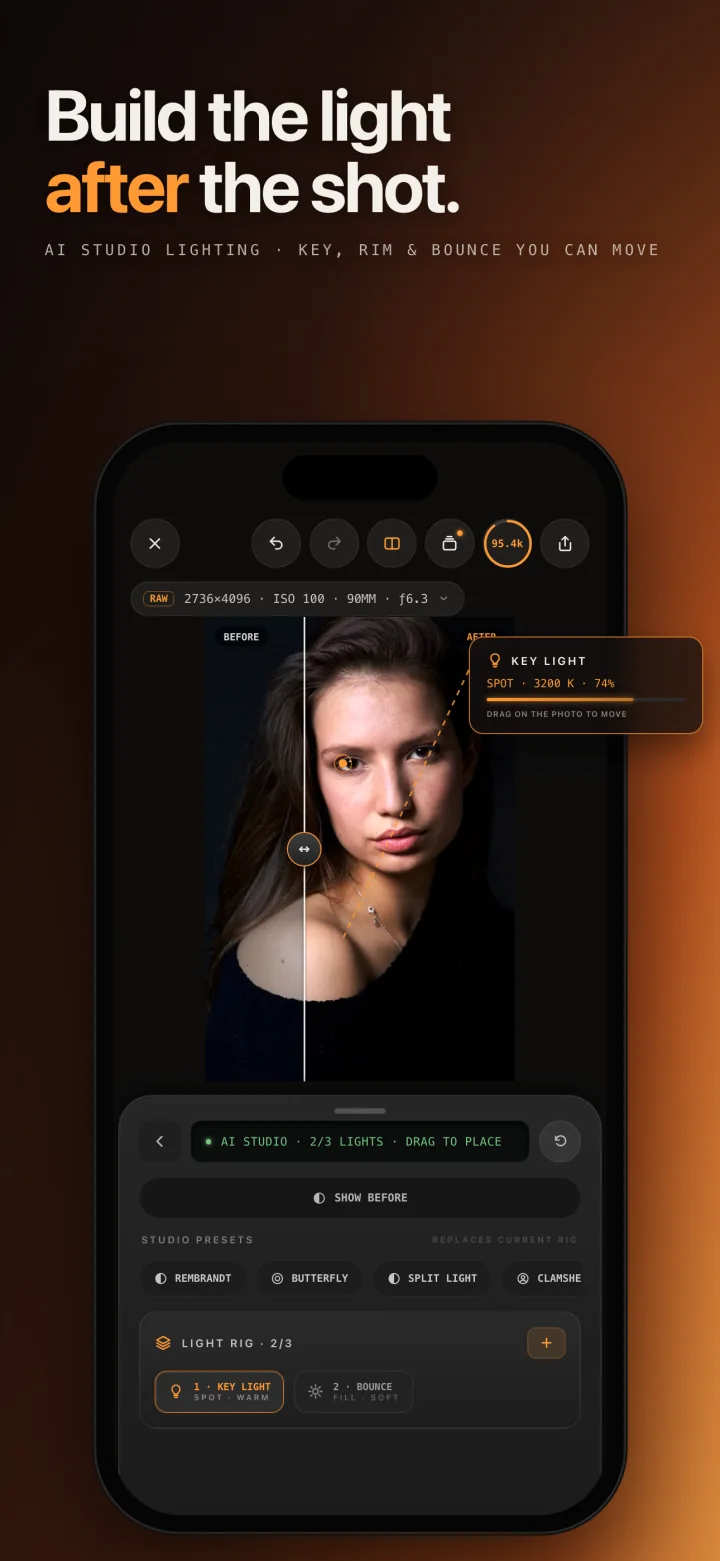
The iPhone app carries the full toolkit — RAW and ProRAW development, smart masks and all thirteen AI tools — built for a thumb instead of a trackpad.


Eightstop is a free download for Mac, with your first full-resolution export on us.
Keep creating with Pro Lifetime for US$79.99, including 100 cloud credits once. Top up whenever you need more.
Open the downloaded disk image, then drag Eightstop into Applications.
07Contact
A question about Eightstop, an idea for a tool, or a photograph that won’t cooperate — we read everything.
Quick answers
For US$79.99, you get lifetime access to the included editing tools, unlimited on-device AI, unlimited full-resolution exports and 100 cloud credits granted once. No subscription is required. The included credits do not refill monthly or when you restore your purchase.
No. RAW development, manual adjustments, masks and seven of the AI tools run entirely on your Mac. The six cloud tools upload a processed image with its metadata removed — never the original RAW.
Buy 100 credits for US$4.99, 300 for US$11.99 or 800 for US$27.99 in Eightstop. Only AI HDR, Relight, Erase, Expand, Upscale and Denoise use credits. Costs vary by tool and operation, and you confirm the cost before generation. Packs are one-time purchases, never expire and do not include Pro access.
Yes. With Pro Lifetime, your on-device tools and full-resolution exports keep working at zero credits. Buy another pack whenever you want to use a cloud tool again.
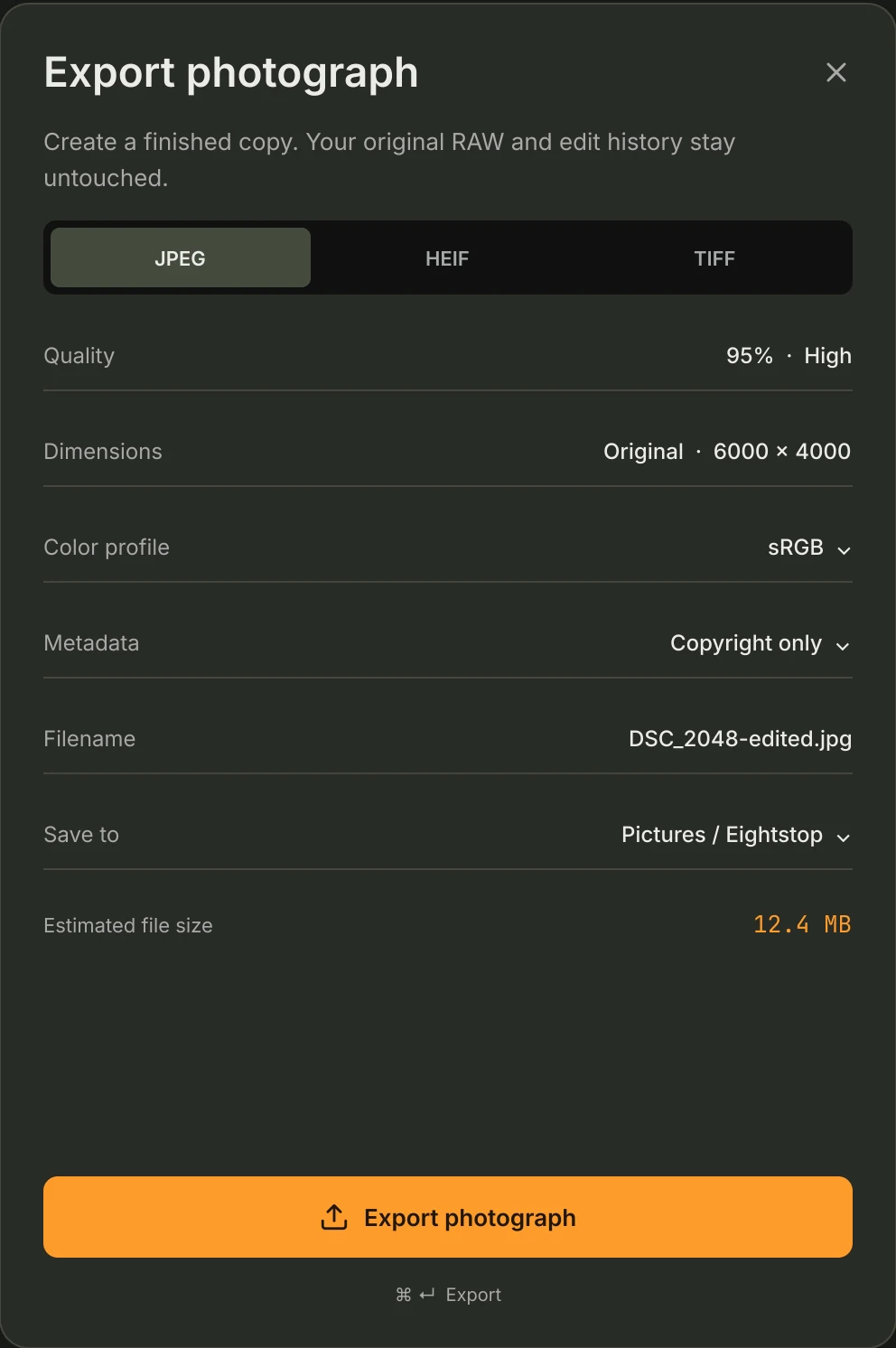
Camera RAW files including Apple ProRAW, DNG, NEF, CR3 and ARW. Finished photographs export as JPEG, HEIF or TIFF, and your original is always preserved.
For an App Store purchase, use the same Apple Account and choose Restore Purchases in Eightstop. On Mac, sign in to the Eightstop account used at checkout and refresh your access. Restoring Lifetime does not grant another 100 credits, and spent credits are not replenished by a restore.
Existing subscriptions and credit balances remain supported. Manage or cancel your subscription through the store or billing account where you purchased it. The lifetime offer is a separate purchase; it does not automatically cancel an existing subscription.